
起因:
在LinuxDeploy的Ubuntu 22.04.3 LTS容器内安装了宝塔准备跑点东西,安装上supervisor以后发现无法正常使用。
过程:
在一轮搜索以后发现宝塔的supervisor使用的是python,目录在。
/www/server/panel/plugin/supervisor
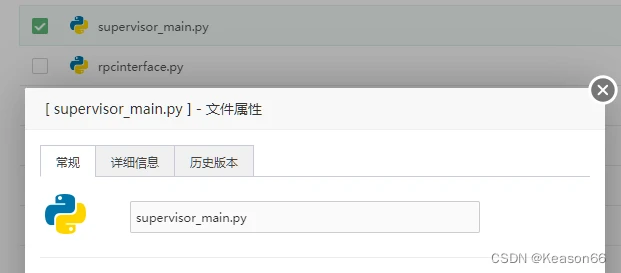
发现了supervisor_main.py文件
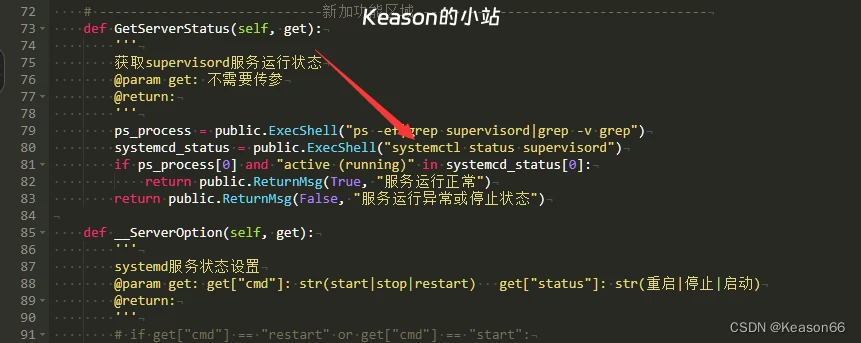
查看文件以后发现宝塔的supervisor使用的是systemctl来控制supervisor的状态
在Ubuntu中 可以使用service命令来对在
/etc/init.d/
目录下有脚本的程序状态的控制
但是supervisor并没有生成对应的文件,应为不会写这个脚本在一番搜索后在
里面找到了适用的脚本
#在/etc/init.d/ 目录下创建supervisord文件

sudo vim /etc/init.d/supervisord


#粘贴下面的脚本

PATH=/sbin:/bin:/usr/sbin:/usr/bin
PROGNAME=supervisord
DAEMON=/www/server/panel/pyenv/bin/$PROGNAME
CONFIG=/etc/supervisor/$PROGNAME.conf
PIDFILE=/var/run/$PROGNAME.pid
DESC="supervisord daemon"
SCRIPTNAME=/etc/init.d/$PROGNAME

# Gracefully exit if the package has been removed.

test -x $DAEMON || exit 0


start(){
  echo -n "Starting $DESC: $PROGNAME"
  $DAEMON -c $CONFIG
  echo ".............start success"
}

stop(){
  echo "Stopping $DESC: $PROGNAME"

  if [ -f "$PIDFILE" ];
  then
  supervisor_pid=$(cat $PIDFILE)
  kill -15 $supervisor_pid
  echo "......"
  echo "stop success"
  else
  echo "$DESC: $PROGNAME is not Runing"
  echo ".........................stop sucess"
  fi
}

status(){
  statusport=`netstat -lntp|grep 9001|awk -F ' ' '{print $4}'|awk -F ':' '{print $2}'`

  if [ -f "$PIDFILE" ];
  then
  supervisor_pid=$(cat $PIDFILE)
  echo "$DESC: $PROGNAME is Runing pid=$supervisor_pid"
  else
  echo "$DESC: $PROGNAME is not Runing"
  echo "please use command /etc/init.d/supervisord start Run the service"
  fi
}

case "$1" in

  start)
    start
    ;;

  stop)
    stop
    ;;

  restart)
    stop
    start
    ;;

  status)
    status
    ;;
*)

echo "Usage: $SCRIPTNAME {start|stop|restart}" >&2
exit 1
;;

esac

exit 0


#保存以后进行权限设置
chmod 755 /etc/init.d/supervisord
然后再对宝塔的脚本进行修改
    # -----------------------------新加功能区域--------------------------------------
    def GetServerStatus(self, get):
        '''
        获取supervisord服务运行状态
        @param get: 不需要传参
        @return:
        '''
        ps_process = public.ExecShell("ps -ef|grep supervisord|grep -v grep")
        systemcd_status = public.ExecShell("service supervisord status")
        if ps_process[0] and "supervisord is Runing" in systemcd_status[0]:
            return public.ReturnMsg(True, "服务运行正常")
        return public.ReturnMsg(False, "服务运行异常或停止状态")

    def __ServerOption(self, get):
        '''
        systemd服务状态设置
        @param get: get["cmd"]: str(start|stop|restart)   get["status"]: str(重启|停止|启动)
        @return:
        '''
        # if get["cmd"] == "restart" or get["cmd"] == "start":
        #     public.ExecShell("systemctl {} supervisord".format("stop"))
        # c_result = public.ExecShell(f"systemctl {get['cmd']} supervisord")
        # if c_result[1] == "": return public.ReturnMsg(True, f"服务已{get['status']}")
        # return public.ReturnMsg(False, f"服务{get['status']}失败")
        os.system(f"service supervisord {get['cmd']} ")
        if get["cmd"] == "stop":
            if os.path.exists(self.supervisord_pid): os.remove(self.supervisord_pid)
            if os.path.exists(self.supervisord_sock): os.remove(self.supervisord_sock)
        s_status = self.GetServerStatus(None)
        if get["cmd"] == "start" or get["cmd"] == "restart":
            if s_status["status"]: return public.ReturnMsg(True, f"服务{get['status']}成功")
        if get["cmd"] == "stop":
            if not s_status["status"]: return public.ReturnMsg(True, f"服务{get['status']}成功")
        if get["cmd"] == "start":
            return public.ReturnMsg(False, f"服务{get['status']}失败,请点击右边【重启】按钮尝试")
        return public.ReturnMsg(False, f"服务{get['status']}失败,请到命令行执行次命令尝试"
                                       f"-->【systemctl {get['cmd']} supervisord】")
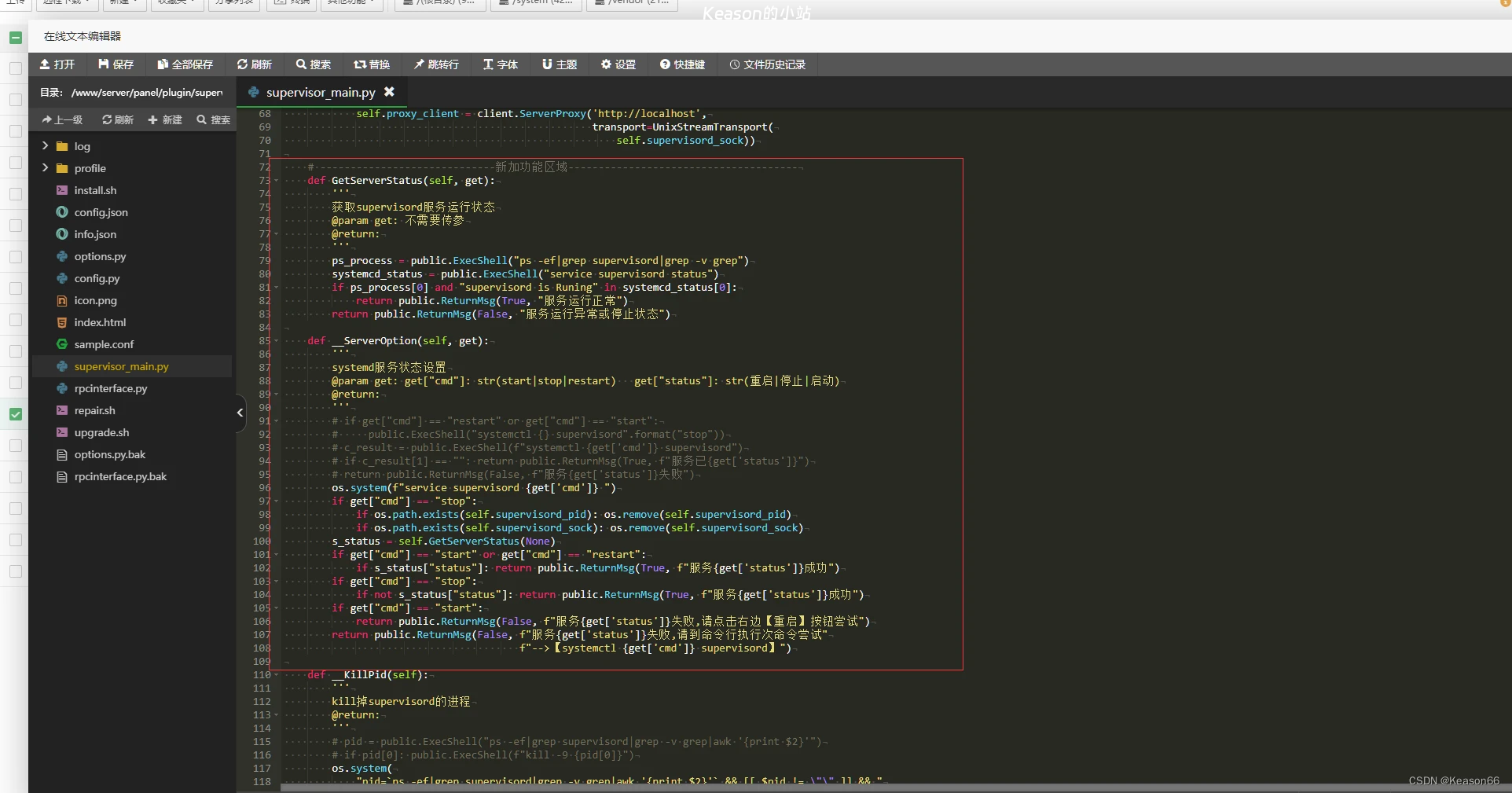
这部分进行替换保存就修复完成了。

